Showing posts with label Technology in the Classroom. Show all posts

Sunday, April 1, 2012

World Read Aloud Day 2012

This is loooooong over due! But, better late than never!


Ivan has become and instant
 favorite among the students.
On March 7th, my students had the great honor of participating in a Skype session with author Katherine Applegate. Mrs. Applegate is most recently noted for her wonderful book, The One and Only Ivan. We were reading her book as our class read aloud, so I reached out to Mrs. Applegate to see if she would be available to read to us on World Read Aloud Day. She kindly agreed to. It was wonderful! Not only did she read aloud to the students, but she also spoke with them about being an author and answered some of their burning questions. We had a great time and are so thankful to her for spending some of her valuable time with us. 


Here are some pictures form our virtual visit:
Making introductions


Mrs. Applegate shows the students another one of her books, Home of the Brave
Mrs. Applegate talks about the Animorphs series that she co-wrote with her husband. The kids were surprised to discover she wrote them!
Sharing her favorite award: One she received after a school visit.
Meeting Mrs. Applegate's muse, Lightning.

Students stood up in front of the web cam to share their questions
Talking about our favorite books!

Mrs. Applegate shares her secret to writing a good story: ask yourself "What if?"
We learned so much from Mrs. Applegate and are so appreciative of her agreeing to Skype with us on such an important day. It was hard to tell who was more excited that day, me or the kids. Afterall, it was MY first time meeting an author face-to-face, too! 


Friday, March 23, 2012

New Discovery: Pic Lit!

This week, my kids used a really cool site I discovered (thanks to Twitter)! The site is called Pic Lit. There, you can search a wide variety of inspirational photos and create sentences (or paragraphs) that appear right on top of the photos. What I really like is there are two ways of doing this:

1) A drag and drop with provided words for those writers who need some inspiration


OR


2) A freestyle for writing virtually anything


Since this was the first time my kids had used the site, I just had them write what came to their minds when they say the picture. Here are some of the results:


I told them not to worry about spelling or capitalization this time, so excuse our errors. I just wanted them to be inspired. As I have thought more about this site, I feel like there are TONS of possible uses in the classroom. Some of these include:

  • writing a full poem with the picture as a background
  • collecting favorite book quotes and writing them into pictures that match
  • writing sentences using sensory and figurative language
  • writing sentences about "life" and life lessons
  • writing themes of books

I needed to create a log in, and then I used our class name as the "Pen Name." When the kids log in, they log in as me, but they are all able to log on simultaneously. There isn't a print feature, so you can have them email you the pictures and then copy and paste the images into word if you want to print them. I use a program called MSWSnap to take pictures of them from the site and then save them. Do what works best for you. 

How do you think you might use Pic Lit in your classroom?


Friday, January 27, 2012

What a WONDERful site!

Maybe some of you are already familiar with this site, if not...get familiar!


Thanks to my ever flowing fountain of knowledge and resources that is Twitter, I happened upon this site when I began following Barbara Phillips (@wonderphillips). The site is Wonderopolis, a project developed by the National Center for Family Literacy (NCFL) to encourage families to embark on reading and learning adventures together. Barbara is a Lead Ambassador for Wonderyear 2012.


Here's how it works:
Screen Shot
Each day, a new "wonder" is posted. The wonder is in the form of a question that most kids may have puzzled over at one time or another. At this point, there are over 400 wonders to peruse through! Each one includes a short video related to the wonder of the day, a bit or informational text, links, and vocabulary.


My brain immediately began cranking out ways to incorporate this new (and FREE) resource into my teaching. I wanted to spend some time with my students working on the skill of determining importance, as this is often difficult and many of them struggle to sort important facts from interesting ones. Of course this is not easy, as sometimes they are both one and the same! A light bulb went off and I knew that Wonderopolis would help. 


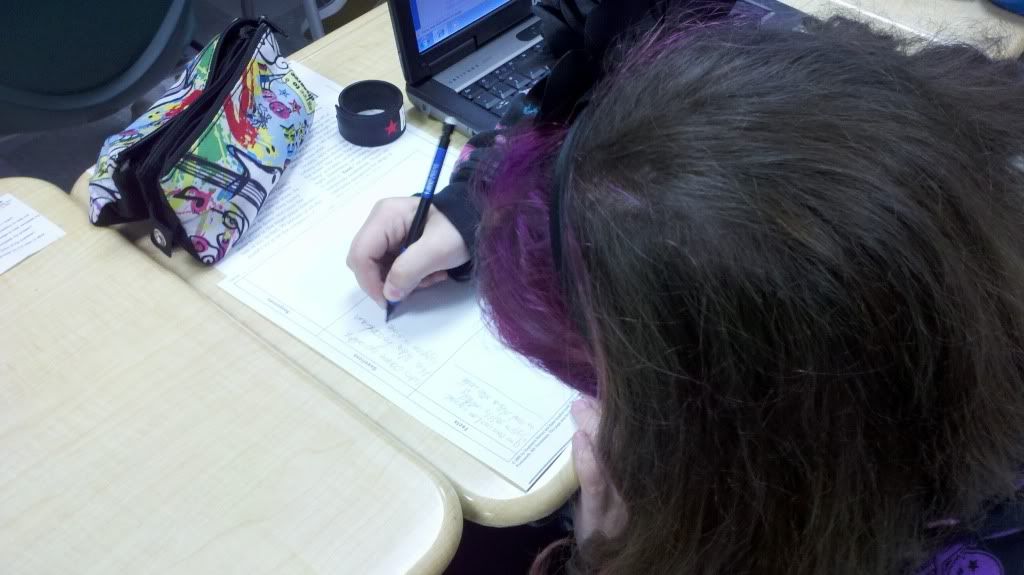
I taught my students how to use a Fact, Question, Response (FQR) organizer to track their learning (find one here from BetterLesson.com). This is a great tool because it helps them sort their connections, thoughts, "wow" moments, and questions from the actual facts that they need to take away from the text. It also helps them to see how much thinking goes on as they are learning from a text.


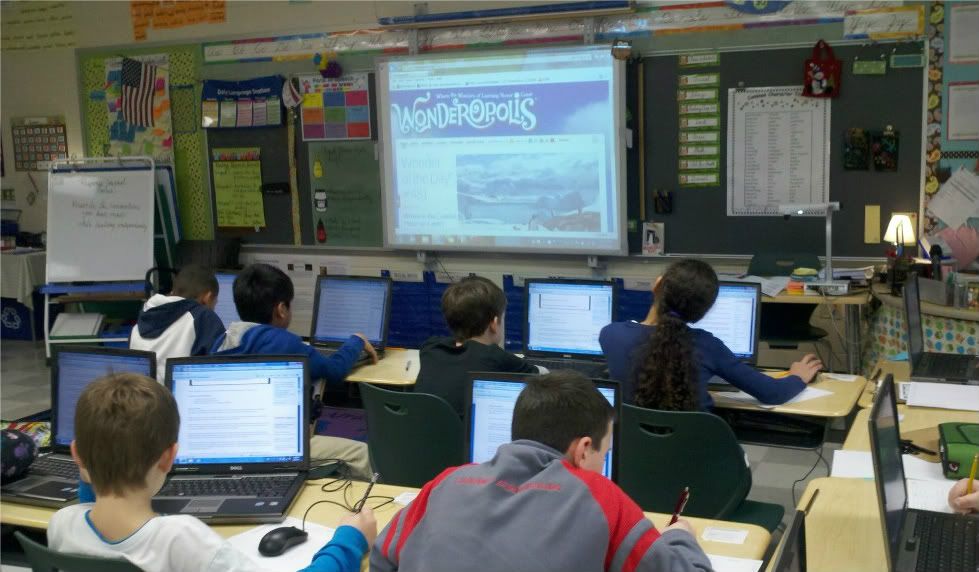
Searching for "wonders" of their own
Once I had modeled with a short article, I introduced them to Wonderopolis. Wonder is an understatement when it comes to how enthralled they became with the concept. I gave them free reign to choose any "wonder" that they found interesting. Once they found one that struck their fancy, they worked on their own FQR organizers. I explained that when we met again, I wanted them to share some of what they had learned. They were so engaged! You could have heard a pin drop as they began clicking away, and this was without access to the videos! (Unfortunately, our county blocks the content of embedded videos, but I can access it with my teacher account for whole group if need be.)


After finding a "wonder" to learn about, I began hearing some chatter. Normally I would hush them back down to help them focus, but when I heard the content of the chatter, I stepped back and let them run with it. I heard a lot of "Hey! Did you know..." and "Wow! Look at this!" followed by "That is so cool, I am going to read that one next!" No, your eyes are not deceiving you, they wanted to read more and were very disappointed when our time was up. I promised to email a link home and encouraged them to share their learning with their families.


Adding information to FQR charts
Their work was impressive. Had I chosen an article for them, I doubt it would have yielded the same results. I am glad I gave them the freedom to explore and be guided by their own curiosity. In education, it is becoming an increasingly rare thing to allow the students so much freedom to explore their own interests. Wonderopolis gives that power back to children. This will definitely become a staple in my "bag of tricks."


Friday, December 2, 2011

It's a Bloggy Blog World!

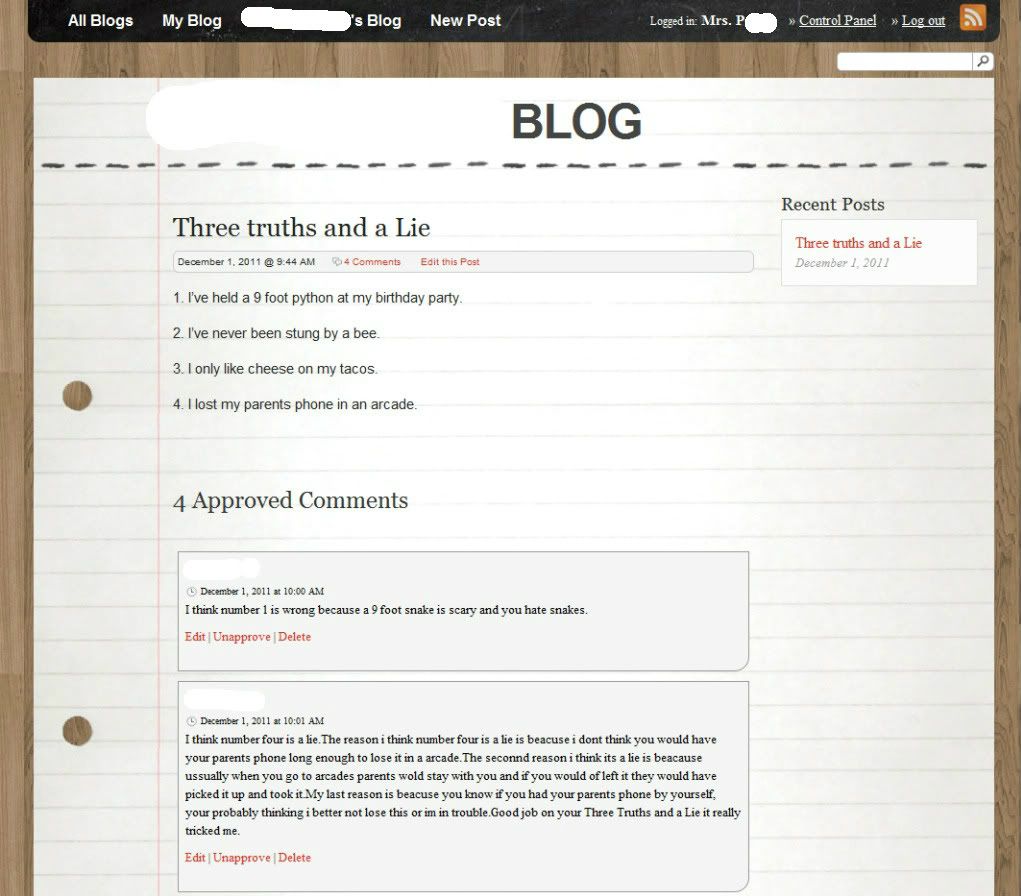
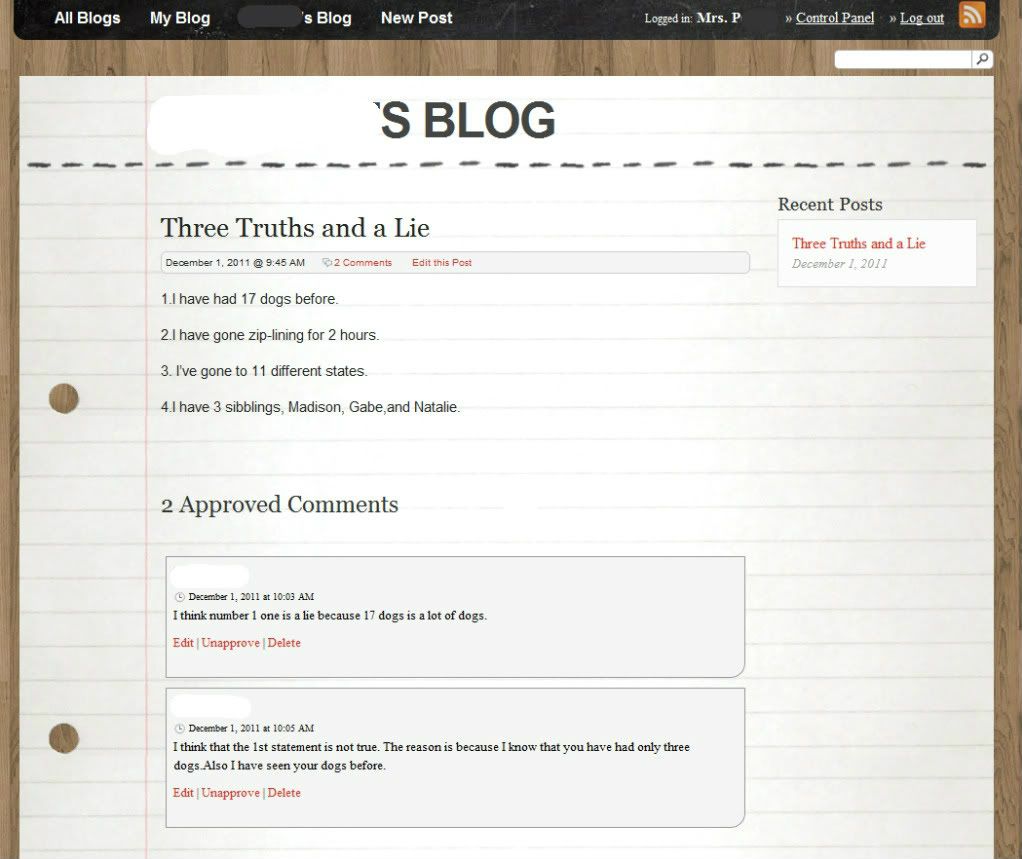
This week, I had the most fun blogging with my students! Blogs are a fantastic resource because the kids forget they are "writing", therefore they enjoy it a whole lot more than when we whip out the pencils and paper! We have used blogs in the past to post book reviews and discuss stories, but this week we worked on expressing ourselves by playing "Three Truths and a Lie" in the blogging world. 


For our class blog, I use KidBlog. It's specifically designed for teachers to use with students. You can control comments and settings, which I feel is very important. 


The assignment for this blogging session was created by our Tech Integration Teacher (so lucky to have one!). We discussed the importance of choosing truths that were very unique and outrageous to match an outrageous lie, or picking a lie that sounded believable enough to be true and fit in with more "normal" truths. The kids did a great job! 


The kicker was that when they finished their own post, they then had to comment on at least five other blog posts. In their comments, students were told to single out the false statement and explain why they thought it wasn't true using thoughtful reasoning. 


Here are some of my favorite posts:


KidBlog4
KidBlog3

KidBlog2


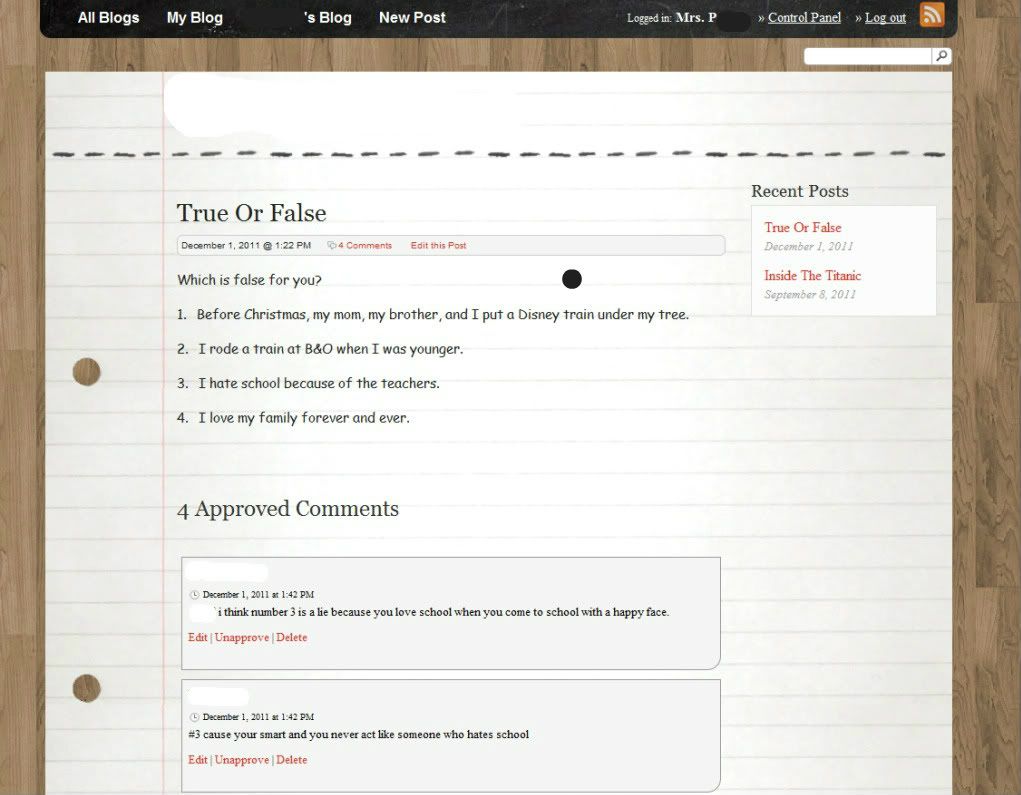
I joined in on the fun, too! Here is a screen shot of my post:


KidBlog1


Not to brag, but I got the most comments! :) Once the kids get five or more comments on their posts, they are allowed to reveal the "falsehood" (yay vocabulary!). Can you guess which one was mine?